Ten moments.
One shared company context.
Velenza is the Business Operations Center for companies built to operate at AI speed. Follow one working day across customers, finance, people, security, messaging, and governed action.
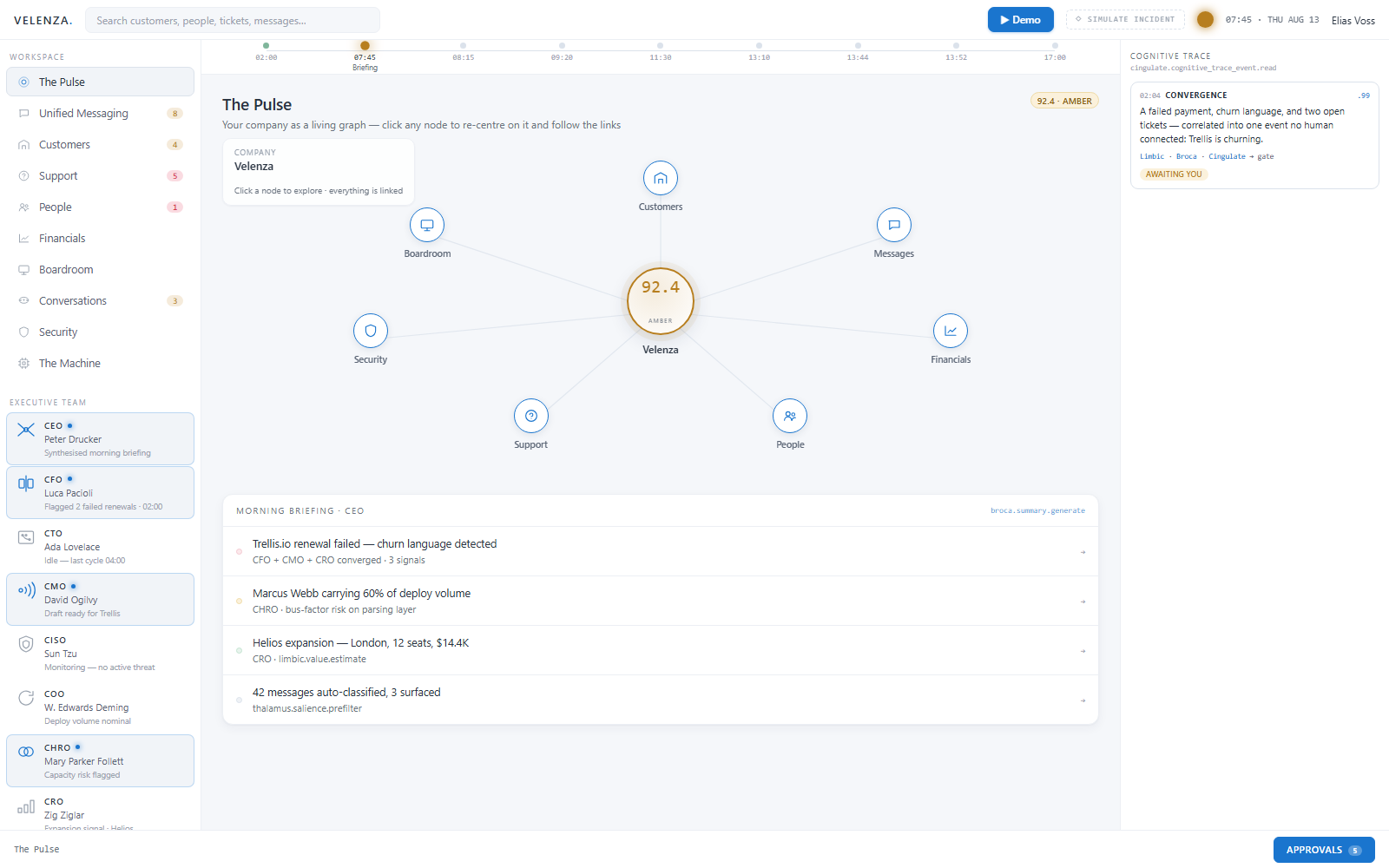
Company Pulse
The company pulse brings customer movement, financial state, delivery, and risk into one prioritized view. It shows where attention is needed and keeps the underlying context one click away.
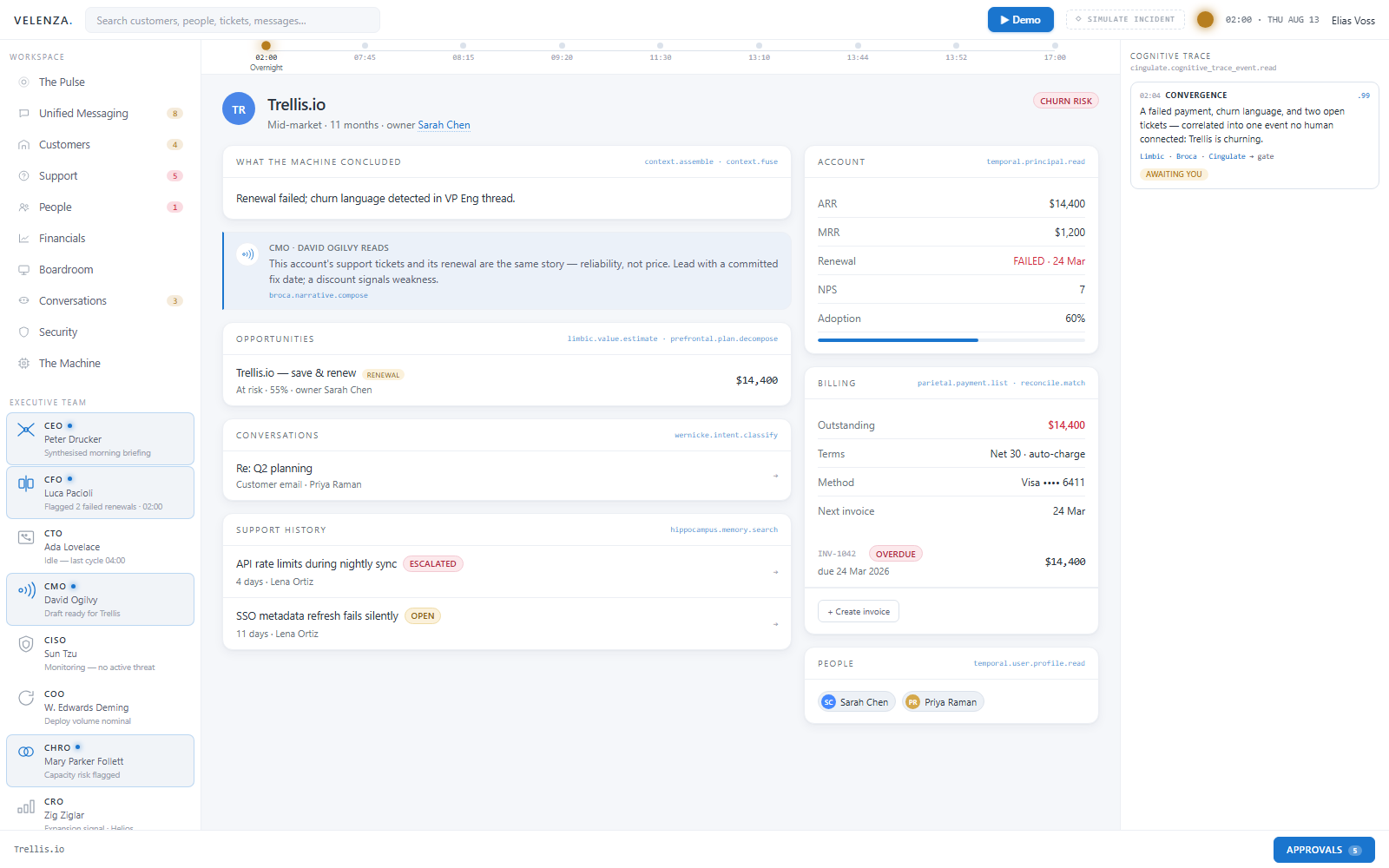
Customer Convergence
Usage, support, commercial, and relationship signals converge around the customer record. Weak clues become useful when the company can see them together without copying them into another dashboard.
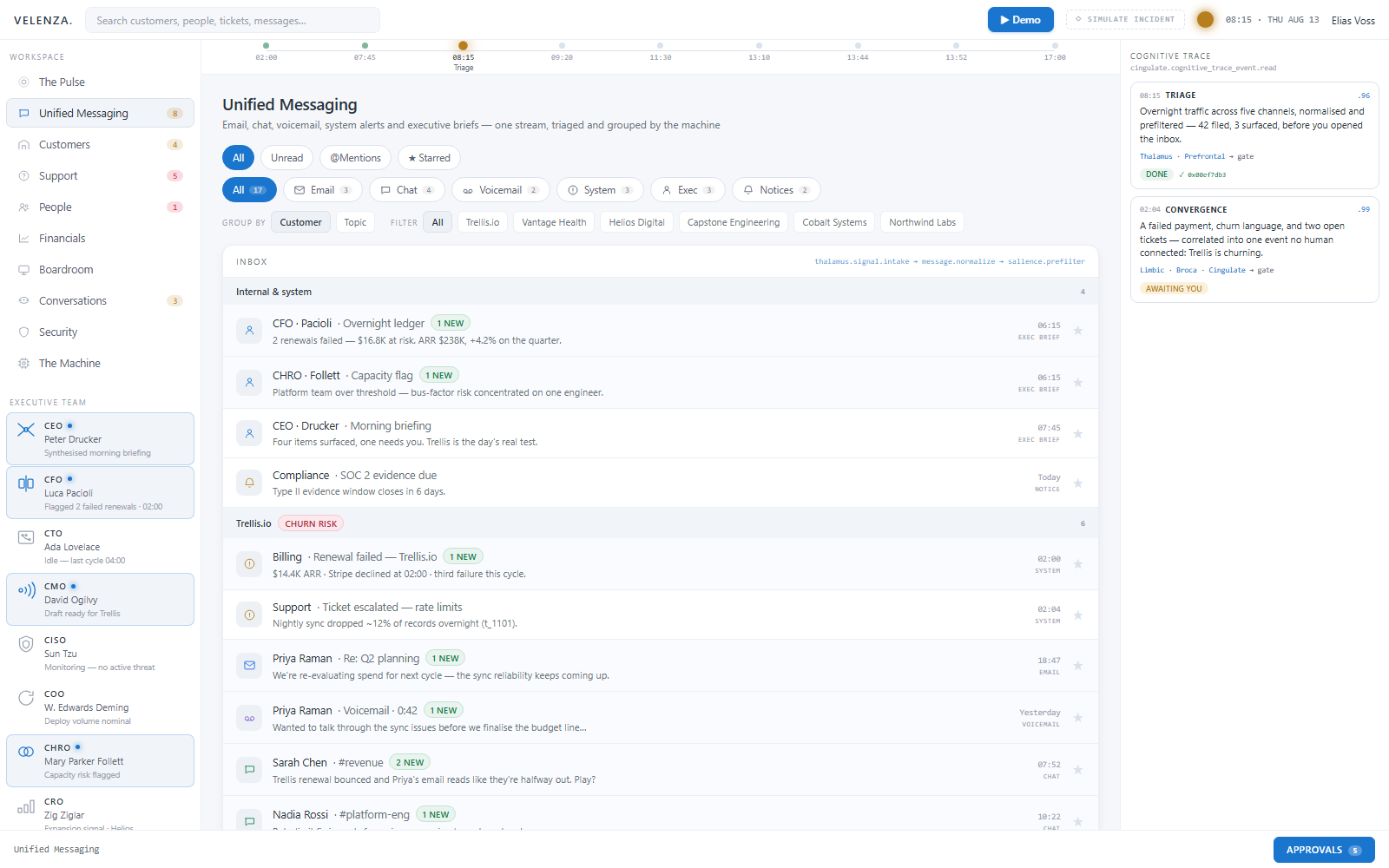
Unified Messaging
Email and operational messages arrive in one identity-bound workspace. Context follows the conversation across channels, and drafts remain drafts until the appropriate person sends or approves them.
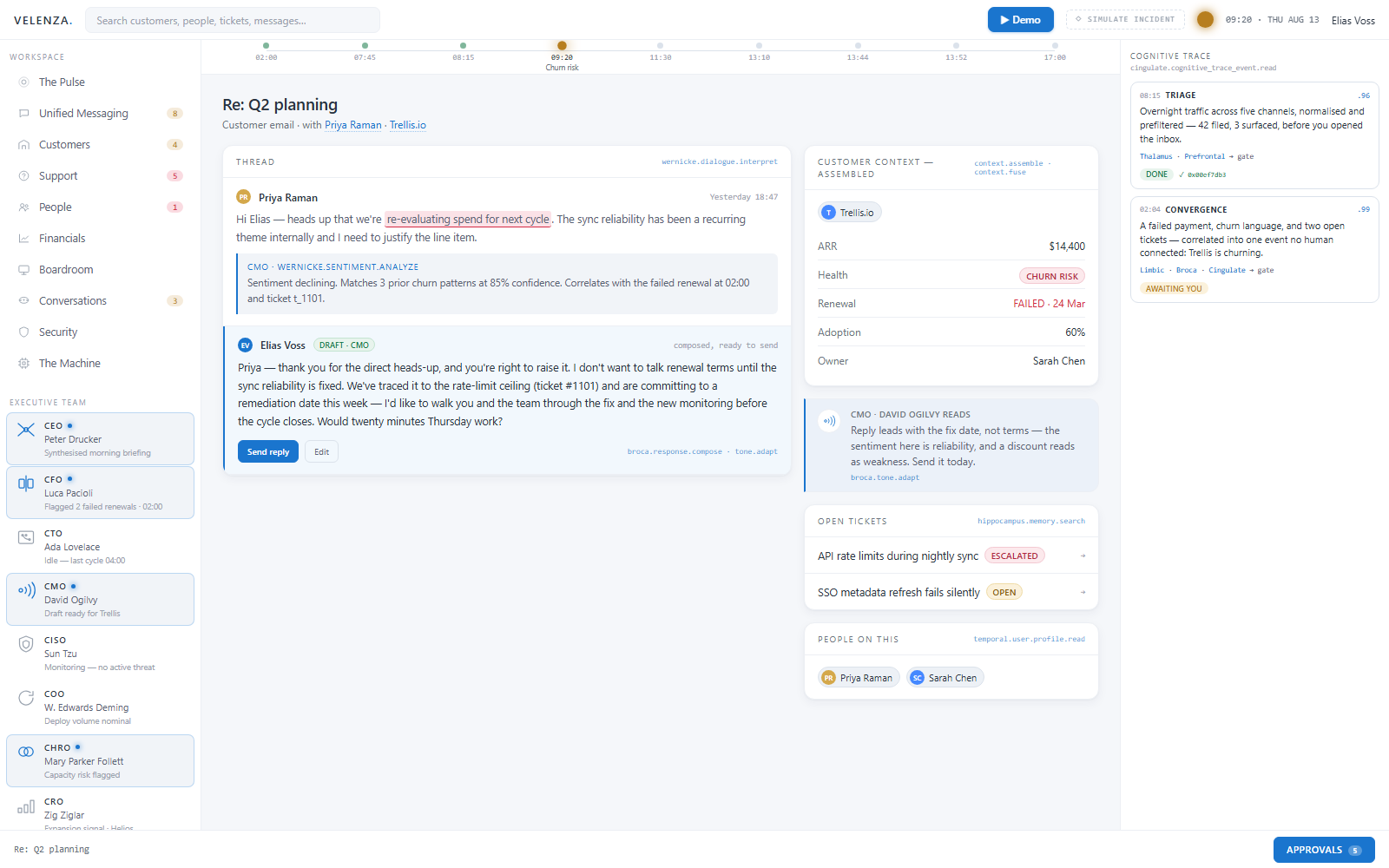
Contextual Customer
The customer workspace connects history, commitments, activity, risks, and open work. Teams can move from summary to evidence without rebuilding the account story in each tool.
Invoice Operations
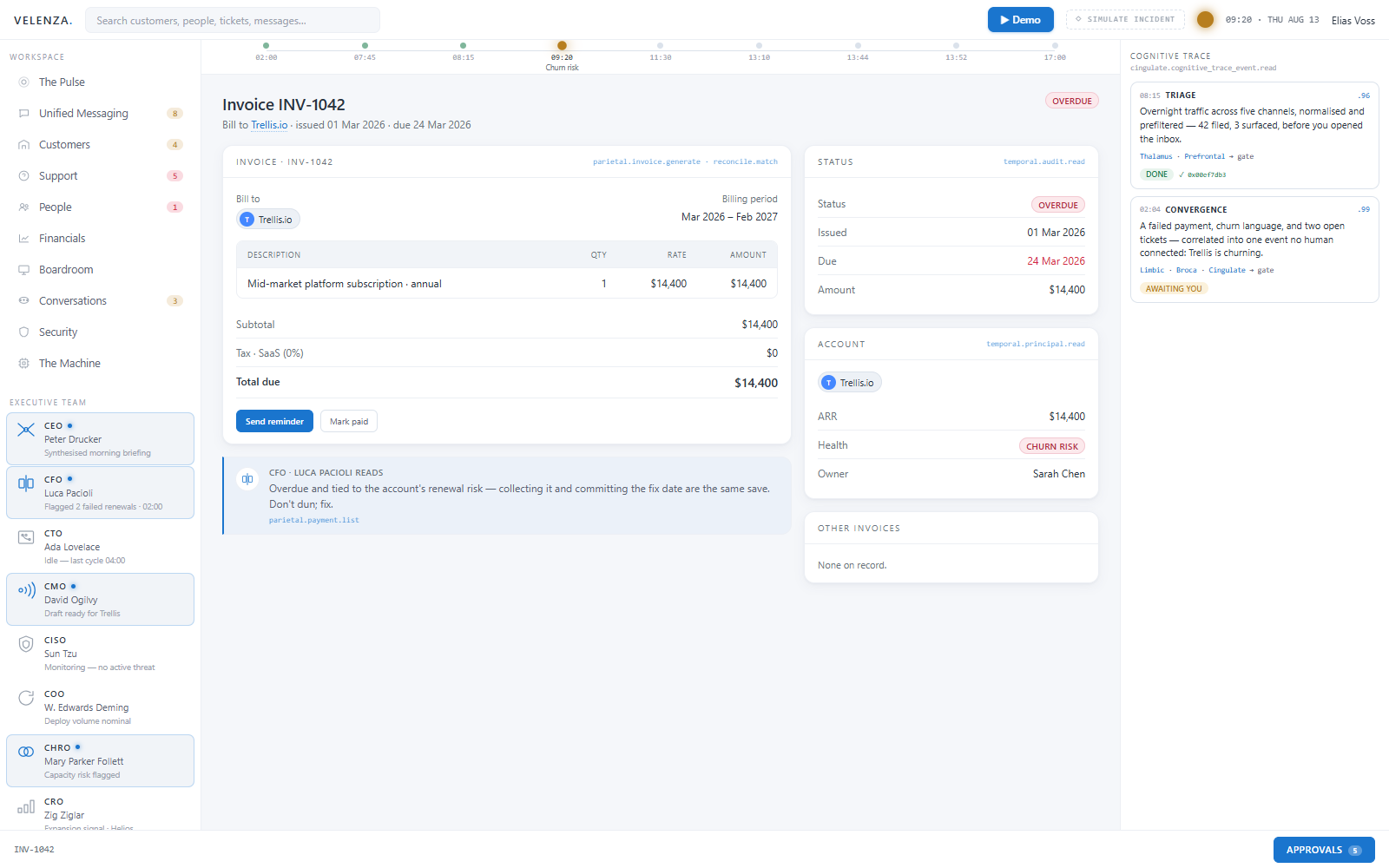
The overdue Trellis invoice appears with line items, account health, dates, and responsible next actions. Finance can review the source record without leaving the shared operating context.
People Operations
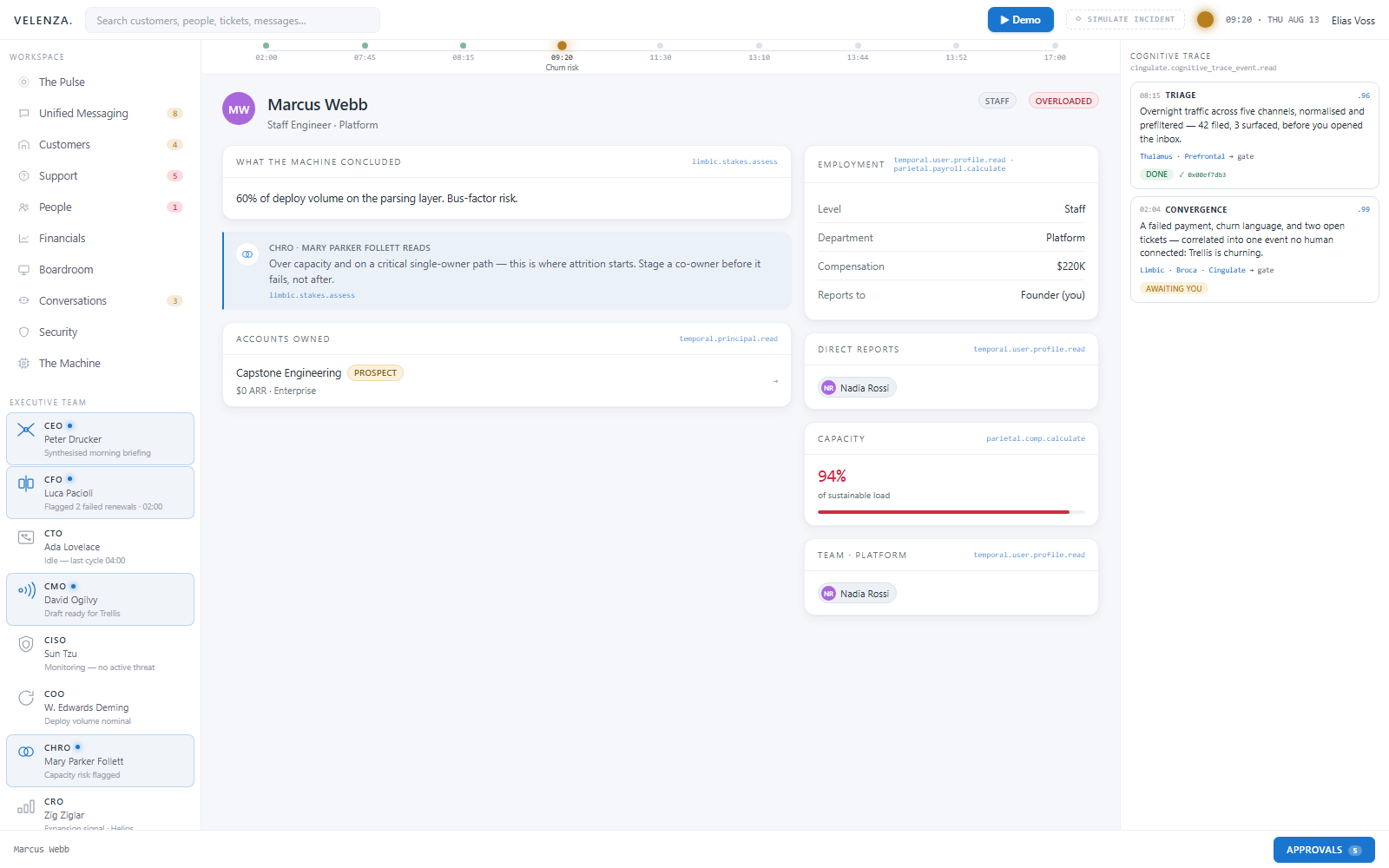
People operations connects roles, capacity, objectives, and active work. It helps leaders see load and dependencies without moving employment decisions outside human accountability.
Customer Portfolio
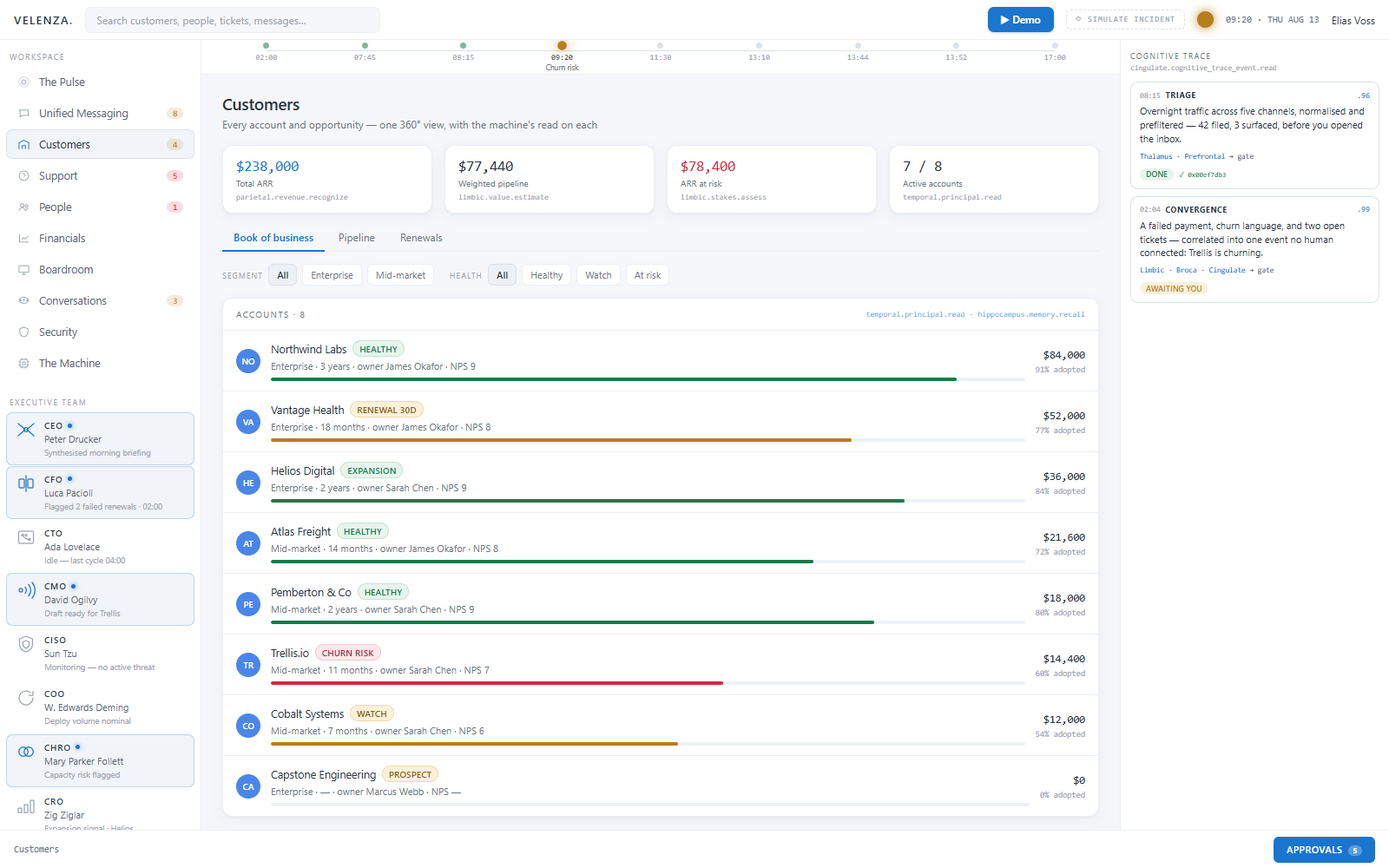
Account health, adoption, revenue, risk, and ownership stay visible together. Leaders can move from the portfolio view to any underlying customer record without rebuilding the story.
Human Approvals
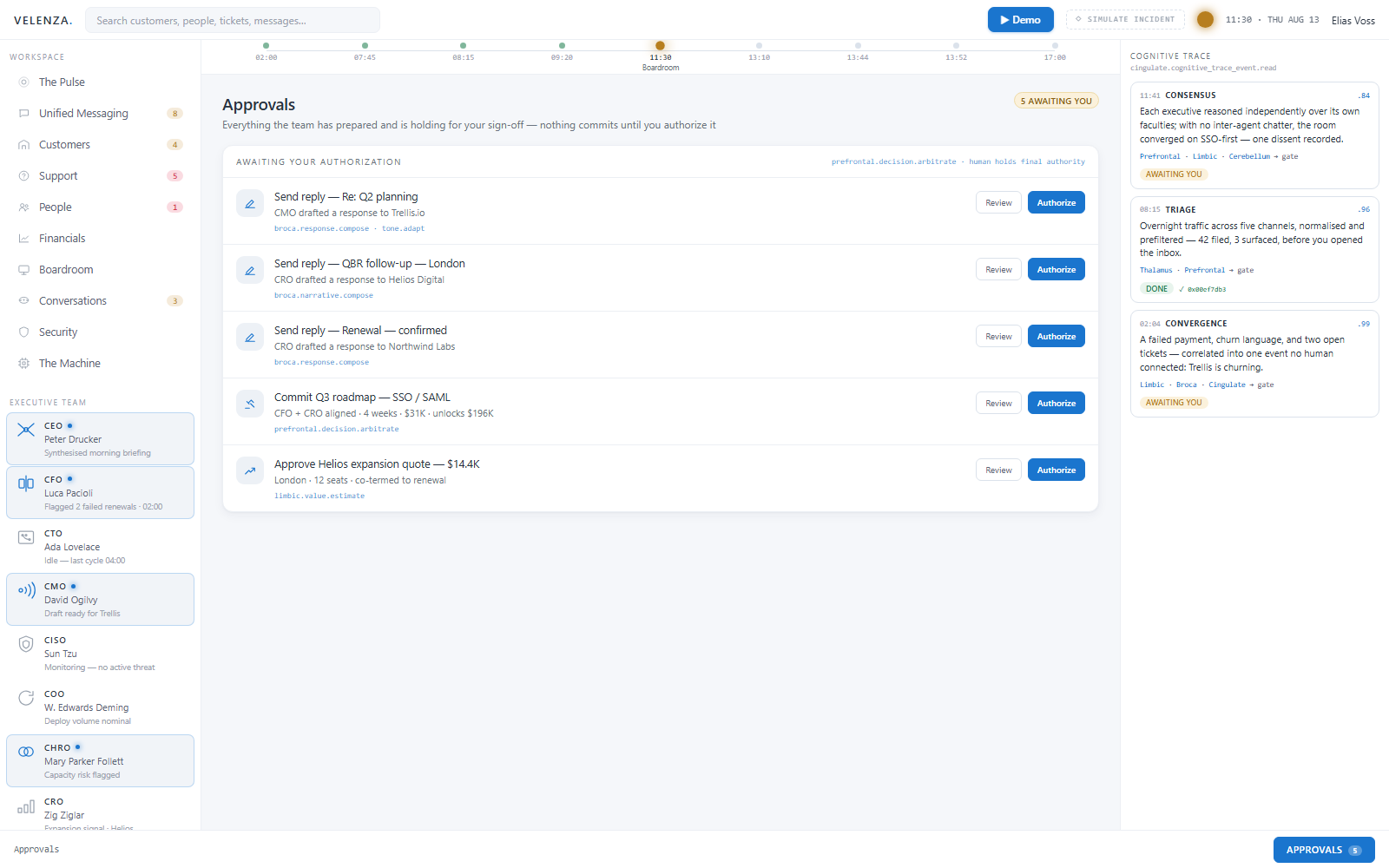
The approval queue shows three concrete proposals: drafted replies, the Q3 roadmap, and the Helios expansion. Each stays bounded and inspectable until an authorized person approves, rejects, or asks for revision.
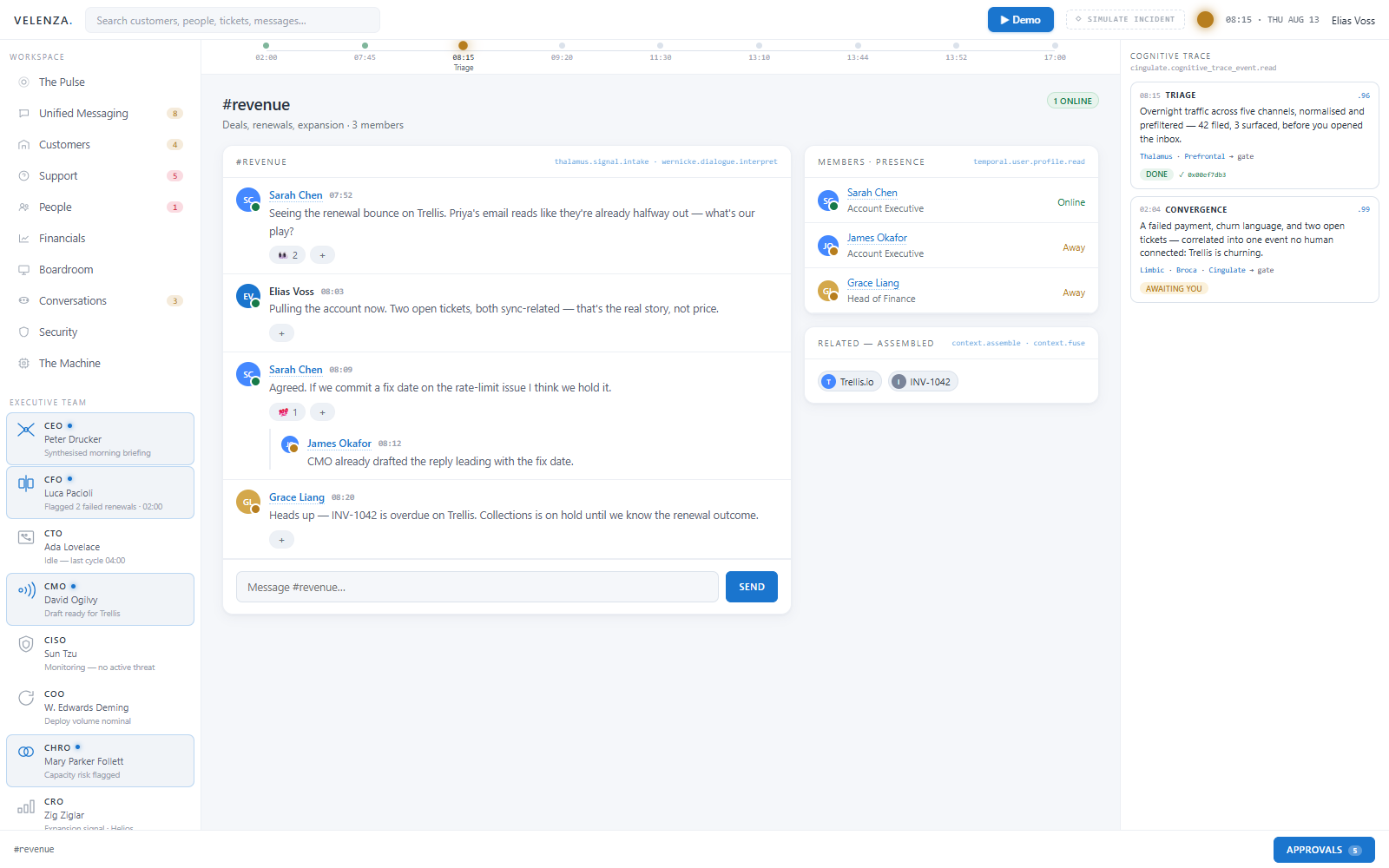
Linked Team Conversation
The revenue team discusses the Trellis renewal in a shared channel while the account, overdue invoice, and next actions remain attached. The context moves with the conversation instead of living in a separate recap.
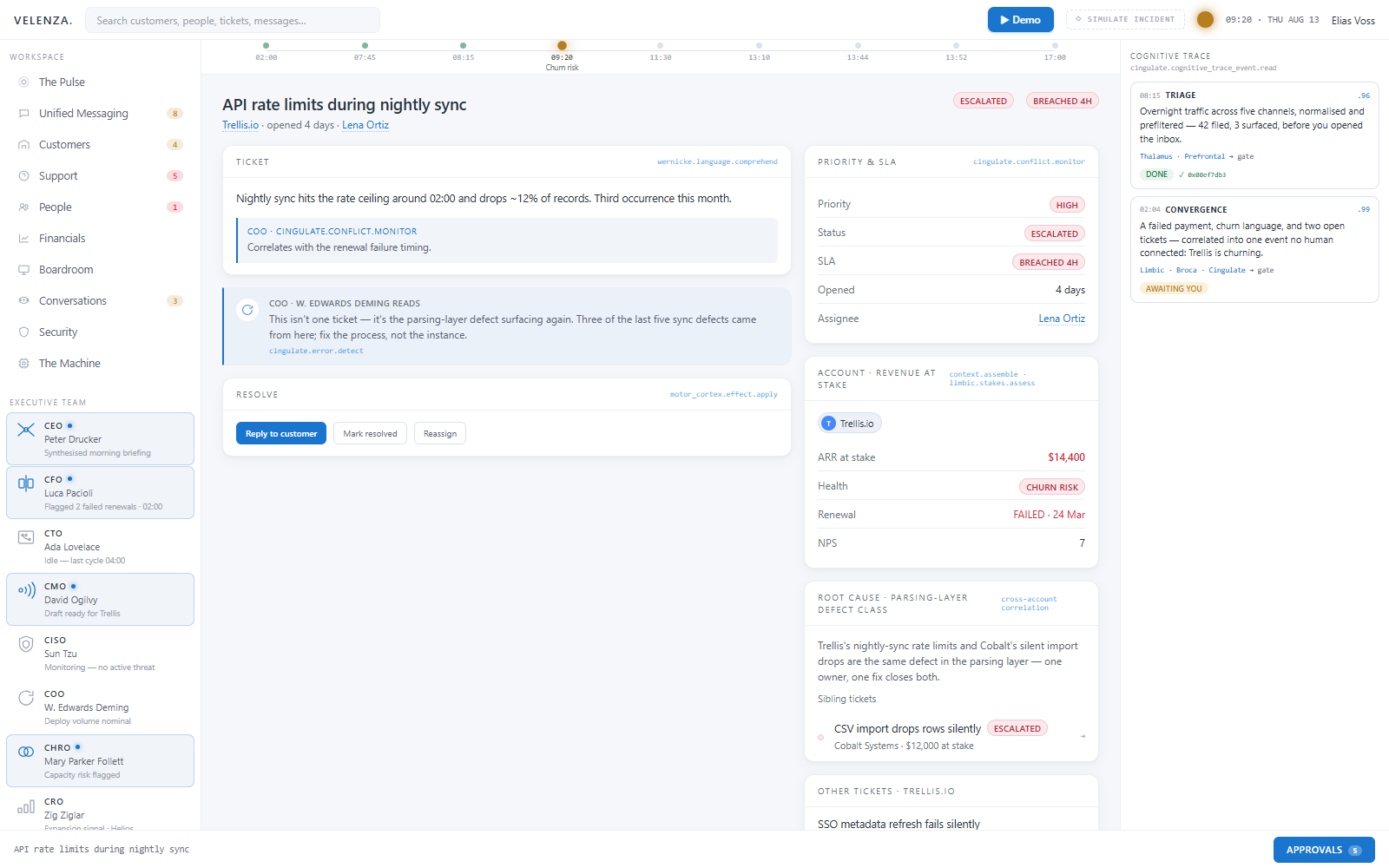
Root-Cause Ticket
The support record connects service status, customer impact, account value, responsible ownership, and related incidents. The team can resolve the immediate issue while seeing the systemic pattern behind it.
One company. One context. Human authority throughout.
The day ends with a durable record of what changed, why it changed, who authorized it, and what the company learned.
Interface previews show the current Velenza product direction and may evolve as the platform develops.